CK444 Login: Full Guide for Bangladesh Players

Every feature on CK444 - deposits, withdrawals, bonuses, VIP rewards, and live games - is locked behind your account. This guide covers every way to sign in, what to do if your password stops working, how the app login differs from the browser version, and how to keep your account secure. Whether you are logging in for the first time or troubleshooting a failed attempt, everything you need is here.

What You Can Access After Signing In

Logging into CK444 is the entry point to your entire account. Once authenticated, you can:

  • View and manage your BDT balance
  • Make deposits via bKash, Nagad, Rocket, or Upay
  • Request withdrawals (100-25,000 TK per transaction)
  • Access your bet history, profit/loss records, and account messages
  • Claim bonuses from the Reward Center
  • Track your VIP level and rebate earnings
  • Play any game across slots, live casino, sports betting, and crash games

Without logging in, the platform only shows game previews and promotional content. All financial and personal functions require an authenticated session.

Open CK444 Account

Login Methods Available on CK444

CK444 offers three distinct ways to sign in to your account:

Method Details
Phone + Password 11-digit Bangladesh mobile number with a 6-12 character alphanumeric password
Facebook One-tap login using your connected Facebook account
Google One-tap login using your Google account

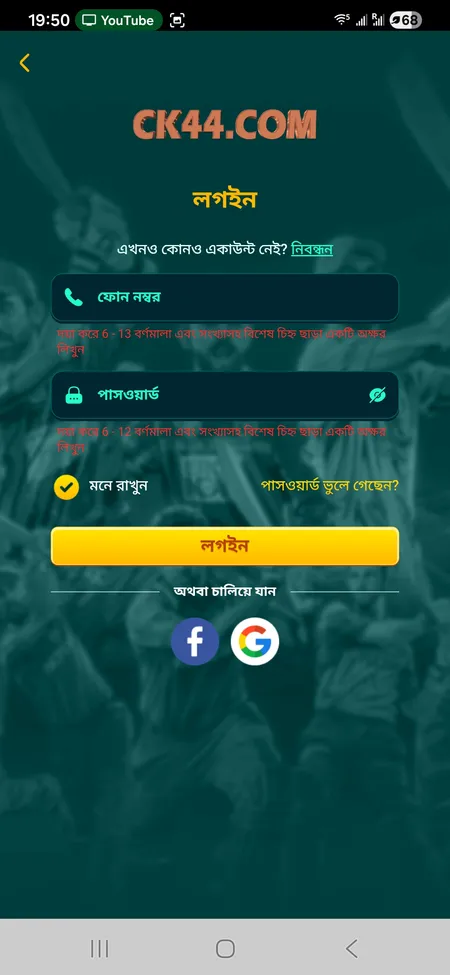
The phone and password method is the primary option and works on all devices. Facebook and Google logins are convenient for players who registered using those services. Both social login buttons appear directly on the login screen below the standard form.

CK444 login form with phone, password and social login options

The login screen shows the phone number field, password field, Remember Me checkbox, Forgot Password link, and buttons for Facebook and Google sign-in.

Step-by-Step: Signing In on the Website

The login button sits in the top-right corner of every page on CK444.COM. Here is the exact process:

  1. Tap or click the Login button in the header
  2. Enter your 11-digit Bangladesh mobile number in the phone field (6-13 characters accepted)
  3. Type your password (6-12 characters, letters and numbers)
  4. Optional: tick Remember Me to stay signed in on this device
  5. Tap the Login button to submit

If your credentials are correct, you land on the home screen with your BDT balance visible in the header. If you see an error, check that you have not confused the digit 0 with the letter O - a common issue on mobile keyboards.

Sign In to CK444

Logging In Through the Mobile App

The CK444 app for Android (APK, approximately 25 MB) and iOS (PWA via Safari) uses the same credentials as the website. The interface is optimised for smaller screens, but the login fields and social login buttons are identical.

Advantages of the app login over the browser:

  • Persistent session - the app keeps you signed in between sessions unless you manually log out
  • Biometric option - some Android devices support fingerprint or Face ID login after the first sign-in
  • Faster loading - offline cache reduces the time to reach the lobby
  • Push notifications - receive bonus alerts and deposit confirmations while the app runs in the background

If you installed the APK from the official CK444 website and the app does not open the login screen, check that your Android version allows installation from unknown sources and that the file downloaded completely.

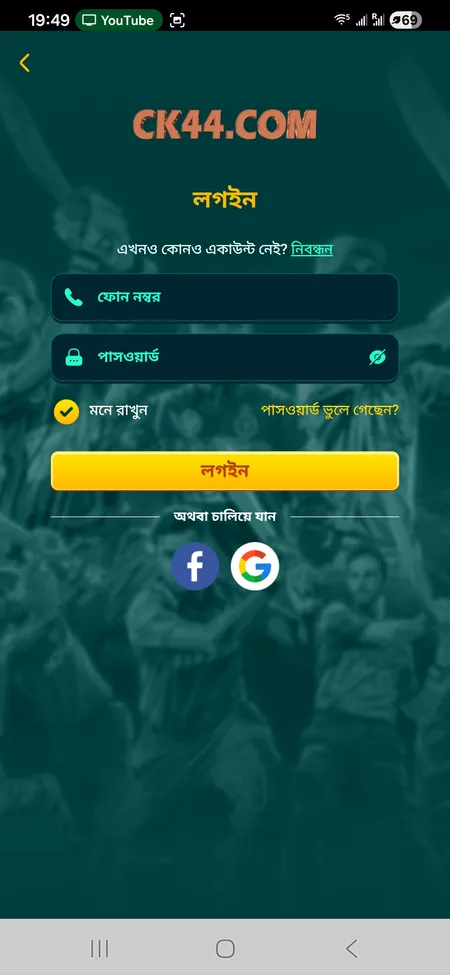
Alternative CK444 login screen variant on mobile

Second variant of the CK444 login screen, showing the same fields in a slightly different layout optimised for mobile devices.

Login Form Fields Explained

Understanding each element of the login form prevents common mistakes:

Field What to Enter
Phone number Your registered 11-digit Bangladesh mobile number
Password The password you set during registration (6-12 characters)
Remember Me Tick to save the session on this device
Forgot Password? Link to password recovery via support
Login via Facebook Authenticates using your linked Facebook profile
Login via Google Authenticates using your linked Google account

The phone field accepts 6-13 characters in the input box, but your actual registered number should be 11 digits. Entering a number with a country code prefix (e.g., +880) may cause a mismatch - try without the prefix first.

Visit CK444 Now

How to Recover a Forgotten Password

CK444 does not have an automated self-service password reset flow. Recovery goes through the 24/7 support team. Steps:

  1. On the login screen, tap Forgot Password?
  2. You will be directed to the support interface
  3. Submit your Member ID and registered phone number
  4. The support agent will verify your identity and help you set a new password

Support is available around the clock via live chat on the website, Telegram at t.me/Ck44Ofc, WhatsApp, and Facebook. Response time is stated as 2-5 minutes. Have your registered phone number ready - it is the primary identifier for your account.

If you remember your password but cannot log in, try the troubleshooting steps in the next section before contacting support.

CK444 support operates 24/7 in both Bengali and English. Password recovery typically takes under 5 minutes when you provide your registered phone number and Member ID.

Common Login Problems and How to Fix Them

Problem Likely Cause Fix
'Incorrect password' error Typo or wrong account Re-enter carefully; check 0 vs O confusion
Page does not load Unstable network Switch from mobile data to Wi-Fi or vice versa
Social login fails Session expired in Facebook/Google Log out of Facebook/Google and try again
App crashes on login Outdated APK version Download the latest APK from the official site
Account locked Multiple failed attempts Contact support via live chat

If none of these steps resolve the issue, the fastest route is the live chat widget on CK444.COM. Agents typically respond within 2-5 minutes.

Get Help and Log In

Signing In on Different Devices

CK444 works across all major platforms without requiring separate accounts:

  • Desktop browser (PC/Mac) - full-width layout, login button top-right
  • Mobile browser (Android/iOS Chrome or Safari) - responsive layout, same login flow
  • Android app (APK) - native app, biometric login available after first sign-in
  • iOS PWA - add to home screen via Safari, functions as a lightweight app

You can be logged in on multiple devices simultaneously. The session on one device does not invalidate another. Your BDT balance and bet history sync in real time across all active sessions.

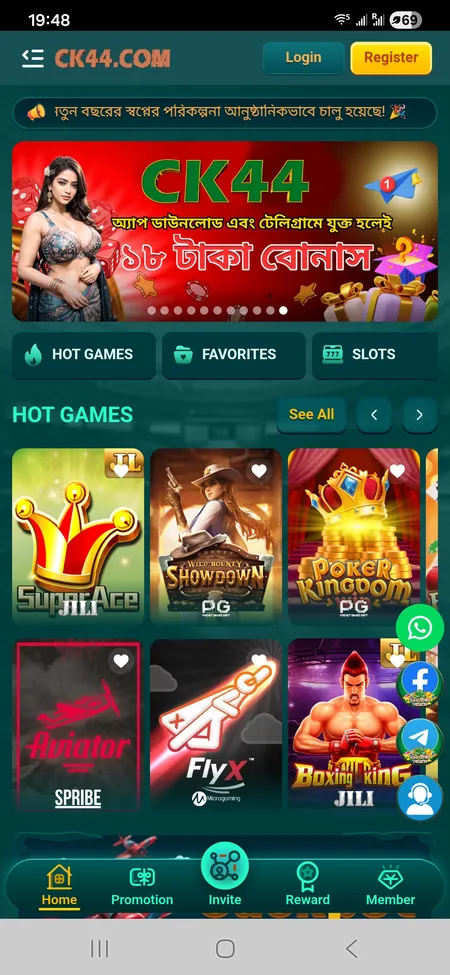
Visit the CK444 home page to access the login button from any browser.

CK444 home screen showing header with login button

The CK444 home screen with the Login and Register buttons visible in the top header area.

Session Management and Auto-Login

When you tick Remember Me during login, CK444 stores your session on the device. The session remains active until you manually log out or clear your browser's cookies and site data.

Situations that end your session automatically:

  • Clearing browser cache or cookies
  • Using private/incognito mode (session ends when the window closes)
  • Tapping Logout in the profile menu (Member section, bottom navigation)
  • Extended inactivity period on the server side

In the mobile app, the session persists unless you explicitly log out from the account menu. This is convenient but means you should log out manually if you share a device.

Account Security: Protecting Your Login

Your CK444 account holds real BDT funds, so basic security practices matter:

  • Use a unique password that you do not use on other sites
  • Avoid logging in on public Wi-Fi networks (cafes, airports, shared hotspots)
  • Never share your phone number or password with third parties, including people claiming to be CK444 support
  • CK444 will never ask for your password via Telegram, WhatsApp, or Facebook messages
  • Do not make deposits through Telegram or Facebook channels operated by unknown individuals - official deposits go through the platform's own interface only

If you suspect unauthorised access, contact support immediately to freeze your account and reset credentials.

CK444 warns all players: do not send deposits or share login details via Telegram or Facebook to anyone claiming to represent the casino. All official transactions go through CK444.COM only.

Access Your CK444 Account

What Happens After Login: Key Account Areas

After signing in, the bottom navigation bar gives you quick access to five sections:

Tab What You Find There
Home Game lobby, hot games, slots, live casino
Promotion Active bonuses and claim buttons
Invite Your referral link and commission tracking
Reward Coupon wallet, spin wheel, VIP salary
Member Profile, bet history, deposit, withdrawal, support

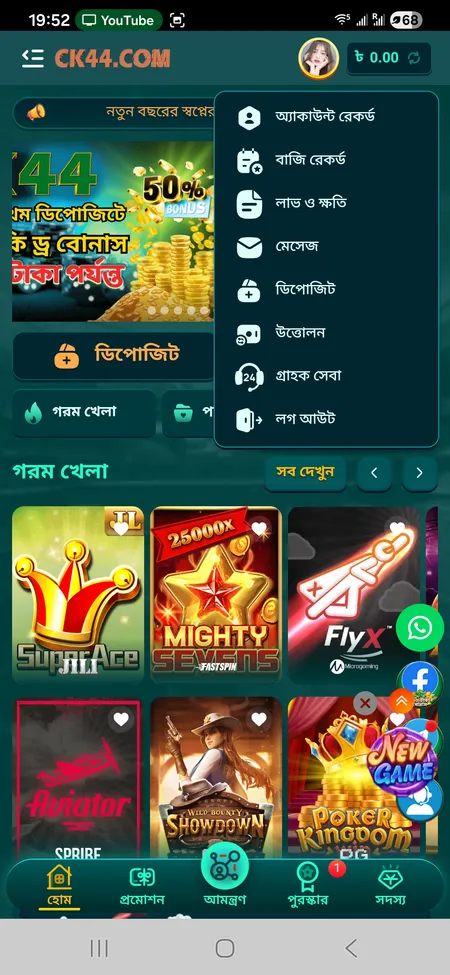
The profile menu (top-right avatar area) also shows your current balance in BDT, VIP level badge, and unread message count. From here you can navigate directly to deposit, withdrawal, or support without going through the main menu.

To explore the full game catalogue after logging in, go to the CK444 game list where slots, live tables, sports, and crash games are organised by provider and category.

CK444 account menu visible after login

The account menu that appears after login, showing balance, VIP status, deposit/withdrawal shortcuts, and navigation to bet history and support.

FAQ

What do I enter in the phone field on the login screen?

Enter your registered 11-digit Bangladesh mobile number without the country code prefix. The input accepts 6-13 characters, but your actual number should be 11 digits.

Can I log in with email instead of a phone number?

No. CK444 uses mobile phone numbers as the primary identifier. You can also log in via Facebook or Google if you registered using those services.

I forgot my password. How do I reset it?

Tap 'Forgot Password?' on the login screen and contact the 24/7 support team via live chat, Telegram (t.me/Ck44Ofc), or WhatsApp. Provide your registered phone number and Member ID for verification.

Why does the login page say my password is incorrect?

Double-check for the digit 0 versus the letter O, and confirm you are using the right phone number. If the issue persists, reset your password through support.

Does CK444 support two-factor authentication?

The platform uses phone-based account verification at registration. For additional security concerns, contact the support team to discuss options for your account.

Can I stay logged in permanently on my phone?

Yes. Tick 'Remember Me' during login or use the Android app, which keeps your session active until you manually log out.

Is it safe to log in on mobile data in Bangladesh?

Yes, CK444 uses SSL encryption for all connections. Avoid public Wi-Fi networks and always type the official CK444.COM address directly.

How do I log out from all devices at once?

Use the Logout option in the Member menu. For a full session wipe across devices, contact support and they can terminate active sessions on your account.

What should I do if my account is locked?

Contact the 24/7 support team immediately via live chat or Telegram. Provide your Member ID and registered phone number. Resolution usually takes under 5 minutes.

Can I log in to CK444 on a PC and a phone at the same time?

Yes. CK444 allows simultaneous sessions on multiple devices. Your balance and history sync in real time across all active logins.

Ready to play? Sign in to CK444 and access slots, live casino, sports betting, and your full bonus wallet - all in BDT with local payment methods.